
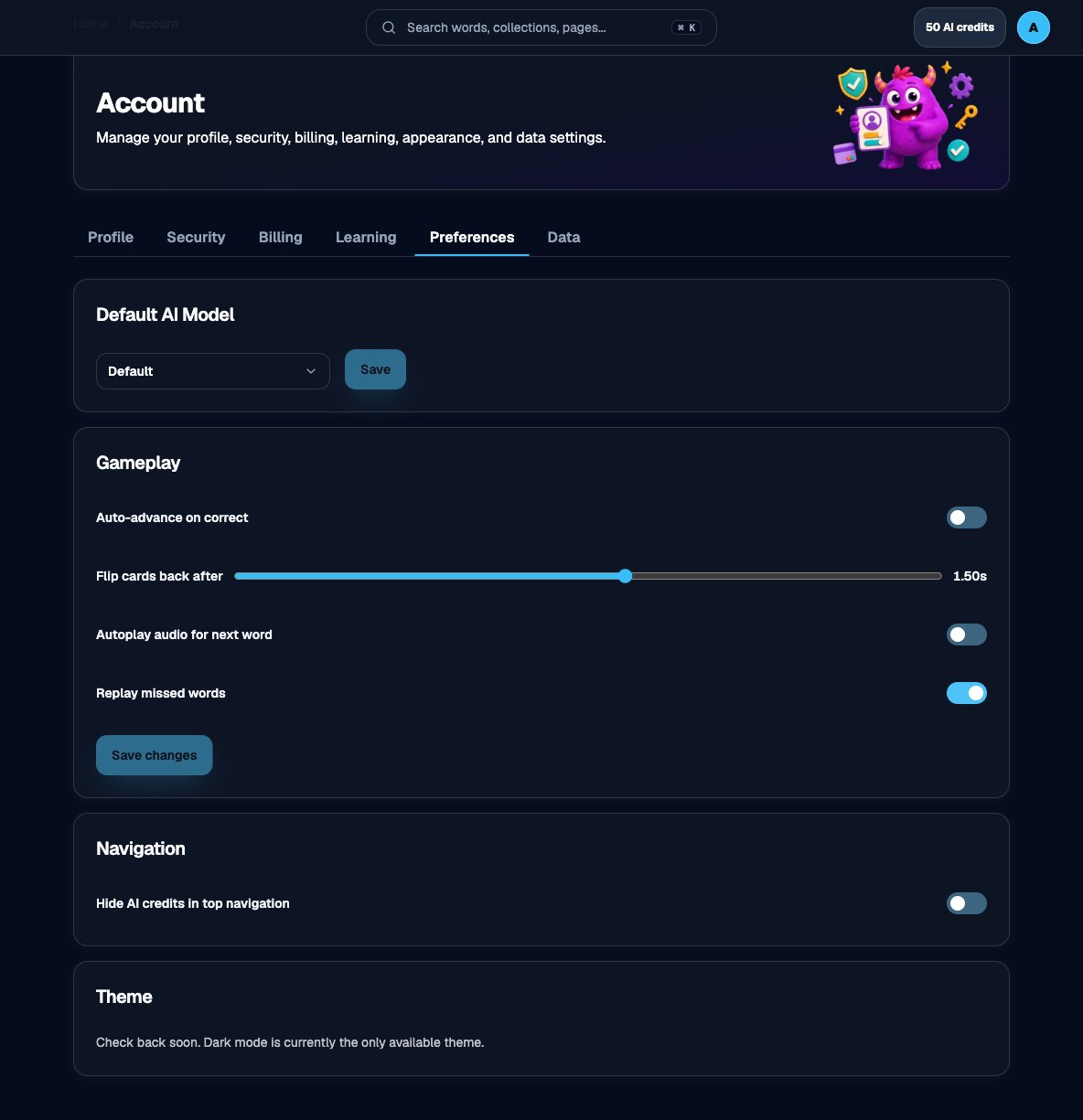
Default AI model on Account > Preferences
1
Open Account → Preferences
Go to Account and open Preferences. Find the Gameplay section.
2
Adjust the controls
- Auto-advance on correct — Move to the next item automatically after a correct answer.
- Flip cards back after — How long flashcards wait before flipping back (from 0.25s to 2.50s).
- Autoplay audio for next word — Start the next Spelling Bee audio automatically.
- Replay missed words — Bring missed words back later in the same session. Off means a miss counts and the game moves on.
3
Save changes
Choose Save changes. You should see a confirmation that gameplay preferences updated.